

Download DNS66 APK – Host Blocker, Ad Blocker, Malware Blocker, Privacy Tool, Secure DNS, Android Security
Overview
DNS66 APK is a privacy-focused utility designed for Android users seeking enhanced online protection. Built on the DND (DNS-based Network Defense) framework, the app functions as a host blocker that actively prevents access to malicious domains, advertisements, and unwanted network activity. Its primary purpose is to strengthen device security and reduce data consumption by filtering traffic at the DNS level.
The tool is particularly useful for users concerned about digital privacy, those experiencing excessive ad exposure, or individuals looking to minimize background data usage. It operates through a built-in VPN service that redirects all DNS requests to a controlled routing system, ensuring consistent filtering across apps and services. While the developer did not provide detailed background information, the app’s presence on F-Droid suggests a commitment to open-source principles and transparency.
Real-world use cases include securing personal devices on public Wi-Fi, reducing mobile data consumption, and protecting younger users from harmful content. The app also includes a time-based internet blocking feature, enabling users to schedule digital detox periods. Overall, DNS66 APK offers a lightweight, efficient solution for users who prioritize control over their network environment.
Key Features & Capabilities
- DNS-Based Host Blocking – Filters out known malicious domains and trackers by redirecting DNS queries through a curated list, reducing exposure to malware and phishing attempts.
- Ad and Tracker Prevention – Blocks advertisements and online trackers at the system level, improving browsing speed and reducing data usage.
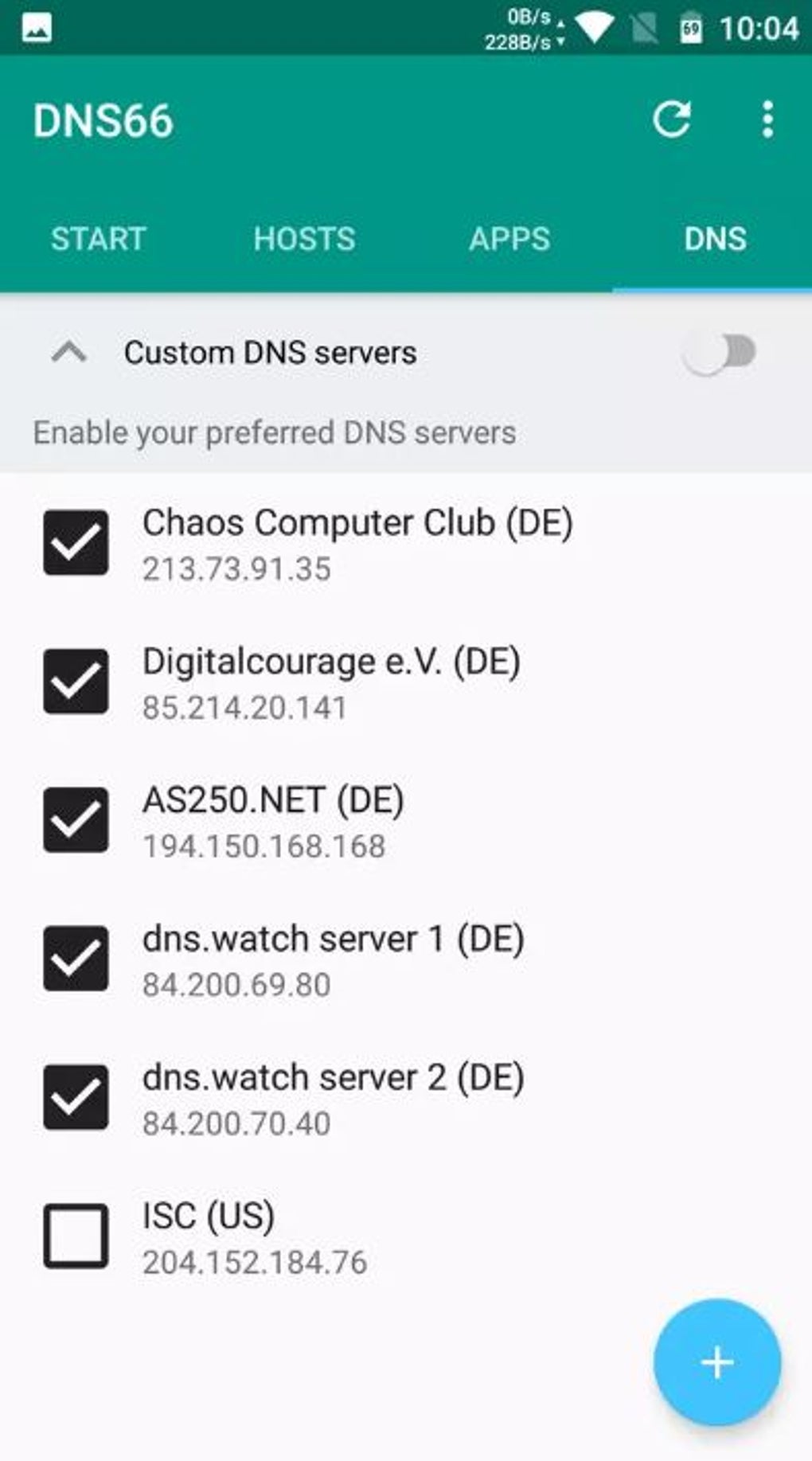
- Customizable DNS Server List – Allows users to manage multiple DNS servers, with the first server in the list being prioritized for routing.
- Hosts File Management – Supports editing and reordering of hosts entries using RecyclerView interactions; later entries override earlier ones, ensuring precise control.
- Time-Based Internet Blocking – Enables users to disable internet access for a specified duration, ideal for digital wellness and productivity focus.
- Open-Source Distribution – Available via F-Droid, promoting transparency and community-driven development.
These features are particularly effective in scenarios such as securing devices on untrusted networks, minimizing background data usage by blocking unwanted connections, and maintaining a cleaner browsing experience. The app’s reliance on system-level DNS routing ensures consistent filtering across all applications without requiring individual app configuration. Users can tailor the blocking behavior by adjusting the order and content of DNS and hosts entries, giving them granular control over their network traffic. The ability to disable internet access temporarily supports healthy digital habits, making it a valuable tool for both personal and family use.
User Interface, Workflow & Performance
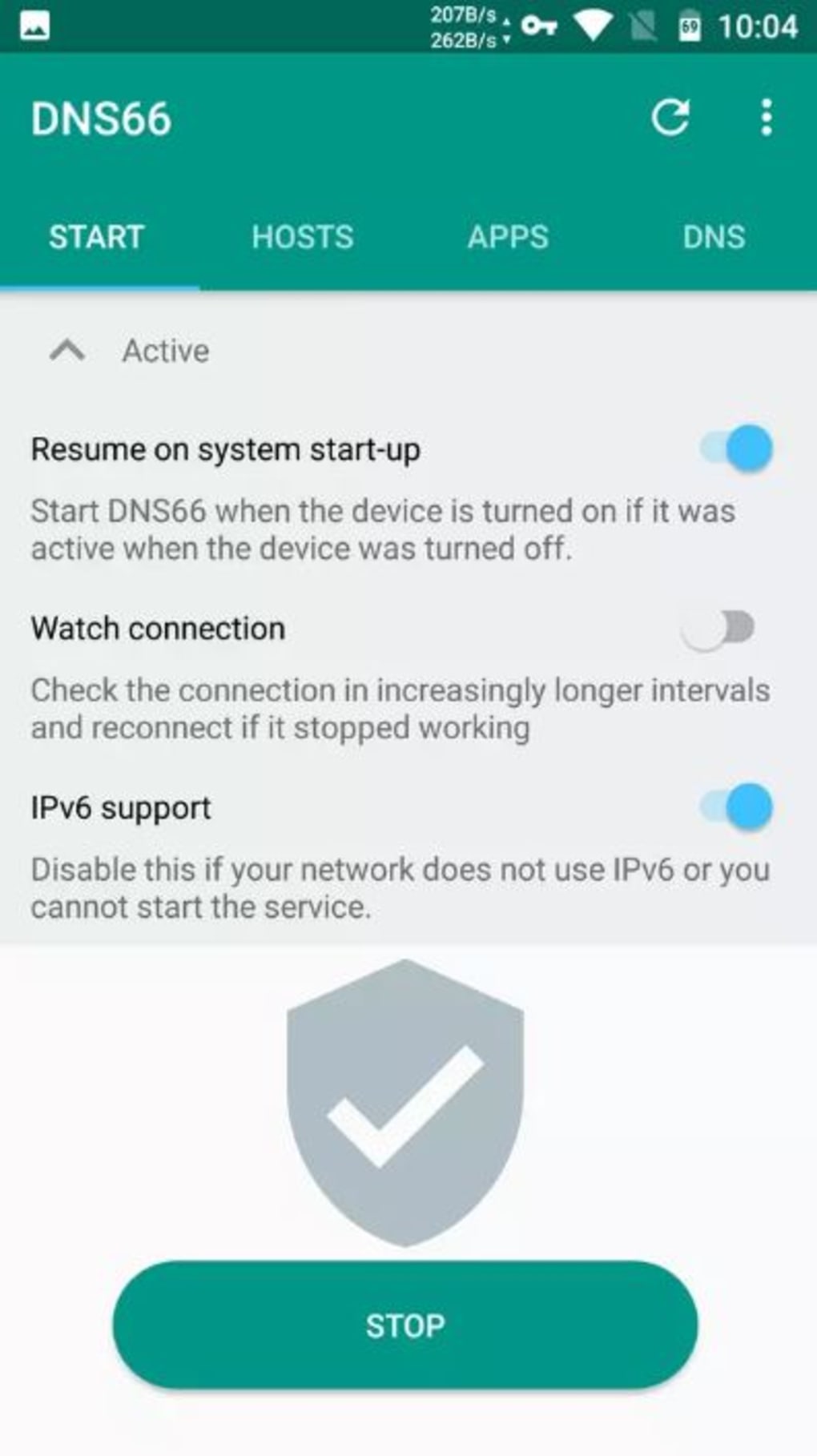
The user interface of DNS66 APK is designed with simplicity and functionality in mind. Navigation is straightforward, allowing users to access core features such as DNS server management, hosts list editing, and internet blocking settings through a clean, organized layout. The use of RecyclerView interactions for reordering and modifying entries enhances usability, enabling intuitive customization.
The workflow is efficient, requiring minimal steps to activate or adjust blocking rules. Since the app operates via a system-level VPN service, it runs in the background with minimal user intervention once configured. The developer did not specify resource usage details, but the app’s small size of 1.8 MB suggests a lightweight footprint.
Performance observations are based on general software behavior patterns: the app is expected to maintain low CPU and RAM consumption during active use. Stability is likely consistent, given its reliance on established Android networking mechanisms. No reports of crashes or conflicts were provided, and the app’s open-source nature supports ongoing maintenance and issue resolution.
Compatibility & System Requirements
DNS66 APK is designed for Android devices, though specific OS version requirements were not listed. The app is available in a 1.8 MB installation package and can be installed through the F-Droid repository or via direct APK download. The developer did not provide detailed hardware requirements or compatibility with specific Android versions.
Compatibility information was partially provided, indicating support for Android but no further details. Users should ensure their device runs a compatible Android version to avoid installation issues. The app’s reliance on a system-level VPN service means it may require elevated permissions, which are standard for such tools.
The lack of explicit system requirements means users should proceed with caution on older or non-standard Android versions. The app is free to download and use, with no in-app purchases or subscription models reported.
Pros and Cons
Pros
- Lightweight at just 1.8 MB, minimizing storage impact.
- Open-source distribution via F-Droid ensures transparency and trust.
- Effective DNS-based filtering for malware, ads, and trackers.
- Intuitive interface with RecyclerView-based host and DNS list management.
- Time-based internet blocking supports digital wellness and focus.
- Free to use with no hidden costs or ads.
Cons
- Exact system requirements and supported Android versions were not specified.
- Performance impact on CPU and RAM was not detailed.
- Limited public documentation or user guides available.
- Requires a system-level VPN, which may raise privacy concerns for some users.
- May not be compatible with all Android versions or custom ROMs.
FAQ Section
Is DNS66 APK safe to use on Android?
Yes, the app is considered safe when downloaded from official sources such as F-Droid. As an open-source tool, its code is publicly available for review, reducing the risk of hidden malicious behavior.
Can I use DNS66 APK without rooting my device?
Yes, DNS66 APK does not require root access. It operates through a standard Android VPN service, making it accessible to all users regardless of device privileges.
How do I update DNS66 APK?
Updates are available through the F-Droid repository. Users can enable automatic updates or manually check for new versions within the app’s source.
Does DNS66 APK work with all Android apps?
Yes, since the app filters traffic at the DNS level using a system-level VPN, it applies to all network requests made by any app on the device.
Can I block internet access for a specific time period?
Yes, the app includes a built-in feature to disable internet connectivity for a user-defined duration, which is useful for managing screen time or focusing on tasks.
Final Thoughts + CTA
DNS66 APK stands out as a reliable, lightweight, and privacy-centric tool for Android users seeking to enhance their online security and reduce data usage. Its core functionality—blocking ads, malware, and unwanted content through DNS-level filtering—is both effective and efficient. The inclusion of a time-based internet blocker adds a valuable layer for digital wellness.
While system requirements and performance details were not fully disclosed, the app’s open-source nature and small footprint suggest a trustworthy, low-impact solution. It is particularly beneficial for privacy-conscious individuals, parents monitoring children’s device use, and users aiming to improve their digital hygiene. For those looking for a secure, free, and straightforward way to protect their Android device, DNS66 APK delivers real value.
Download DNS66 APK now.





.png)

